Crafting The Ideal Computer With A Custom PC Builder
In today’s fast-paced and technology-driven world, having a computer that meets your specific needs and requirements is essential. Off-the-shelf computers may serve the average user, but for those seeking an exceptional computing experience, a custom-built PC is the way to go. Crafting the ideal computer with a custom PC builder offers numerous advantages and benefits that cannot be matched by pre-built options. From tailoring the hardware to suit your exact needs to maximizing performance and personalizing the aesthetics, custom-built PCs provide an edge that sets them apart from mass-produced machines.
Design The Perfect Computer From The Ground Up With A PC Builder
One of the most exciting aspects of using a custom PC builder is designing your perfect computer from scratch. Starting with a blank canvas, you can handpick each component and tailor it to your exact requirements. This level of customization ensures that every aspect of the computer aligns with your intended usage, whether it’s gaming, content creation, or professional applications. With a PC builder, you can explore various combinations of hardware to find the right balance of performance and affordability. You are not constrained by a limited selection, as is often the case with pre-built computers. Moreover, the sense of accomplishment and satisfaction that comes from creating something unique and specialized to your needs is unparalleled.

Benefits Of Building A Computer By Hand: Avoid Drivers And Bloatware
When you build a computer by hand, you have complete control over the software that goes into it. One of the significant advantages of this approach is the ability to avoid bloatware—unnecessary and often unwanted software that comes pre-installed on many pre-built computers. Bloatware can slow down your system and clutter your storage space, but with a custom-built PC, you can install only the essential drivers and programs you actually need, resulting in a cleaner and more efficient system. Furthermore, manually installing drivers ensures that you have the latest and most stable versions, which can lead to improved performance and compatibility. This level of control is not achievable with off-the-shelf computers, making a custom-built PC the preferred choice for those who want to avoid unnecessary software clutter and potential security risks.
Choosing The Right Parts: How To Find High-Quality Hardware?
Selecting the right hardware is crucial when building a custom PC. The market is flooded with a plethora of options, each claiming to be the best. Therefore, knowing how to find high-quality components is essential to crafting an ideal computer. Researching user reviews, expert opinions, and performance benchmarks can guide you in making informed decisions. Focus on reputable brands known for their reliability and performance, and consider factors like compatibility, power consumption, and thermal management. By investing time and effort in choosing high-quality hardware, you ensure that your custom-built PC functions optimally and withstands the test of time.
Step-By-Step Guide To Assembling A Computer: Setting Up Your System
The process of assembling a computer might seem intimidating to some, but with the help of a step-by-step guide and attention to detail, it becomes an enjoyable and rewarding experience. Starting with the motherboard, CPU, and RAM installation, followed by connecting storage drives, graphics cards, and power supply, each step builds on the previous one to create a fully functional system. Assembling a computer by hand allows you to familiarize yourself with the internal components, fostering a deeper understanding of how the various parts work together. Additionally, troubleshooting and future upgrades become more manageable since you are intimately acquainted with your custom PC’s internals.
Maximizing Performance With The Right Configuration: Optimizing Your PC
Once you have your custom-built PC up and running, the optimization process begins. This involves fine-tuning the system to achieve the best performance and stability. Overclocking the CPU and GPU, adjusting BIOS settings, and managing cooling solutions are some ways to optimize performance. Software optimization is equally important. By installing the latest drivers, keeping the operating system updated, and configuring power settings, you can extract the most from your hardware. Regular maintenance, such as cleaning dust and updating software, ensures that your custom-built PC remains at peak performance over time.
Personalizing Your PC With Upgrades And Accessories
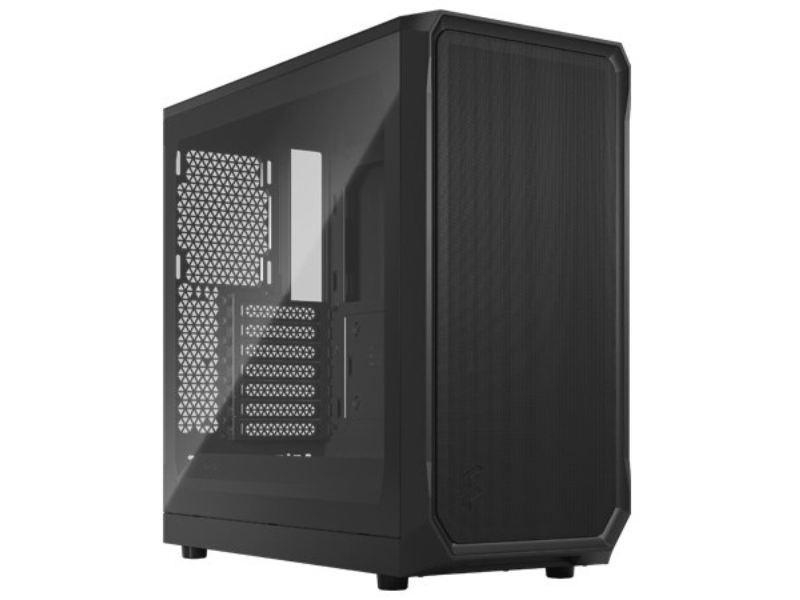
The beauty of a custom-built PC lies not only in its raw performance but also in its aesthetic appeal and personalization. After constructing the core system, you can further enhance it with upgrades and accessories. Custom RGB lighting, cable management solutions, and premium cases can add a touch of style to your PC. Moreover, you can tailor your computer to cater to specific needs by adding accessories such as specialized keyboards, mice, monitors, and audio devices. These enhancements not only improve usability but also create a more immersive and enjoyable computing experience.
Conclusion
Crafting the ideal computer with a custom PC builder opens up a world of possibilities for enthusiasts and professionals alike. The advantages and benefits are substantial, from having complete control over the hardware and software to creating a personalized and visually stunning machine. Building a computer by hand not only ensures optimal performance but also fosters a deeper understanding of its inner workings.

Hi, I am Cynthia Petrillo was brought into the world in California, Studied at University of Southern California. Fiery to bestow my knowledge to charmed people. I have extensive stretches of inclusion with the field of Business, Health and Information Technology. Beside that, I love to contribute energy with my family.